Check guests in at the door
Every guest with a place at your event gets a ticket with a QR code. At the door, you scan it with your phone to let them in. It works for free and paid events alike.
Last updated 18 October 2026
How it works
- A guest gets a place. We email them their ticket.
- At the door, they show the QR code on their phone.
- You scan it and tap Check in.
- If they show the same ticket again, you see it was already used.
1. Your guests get a ticket
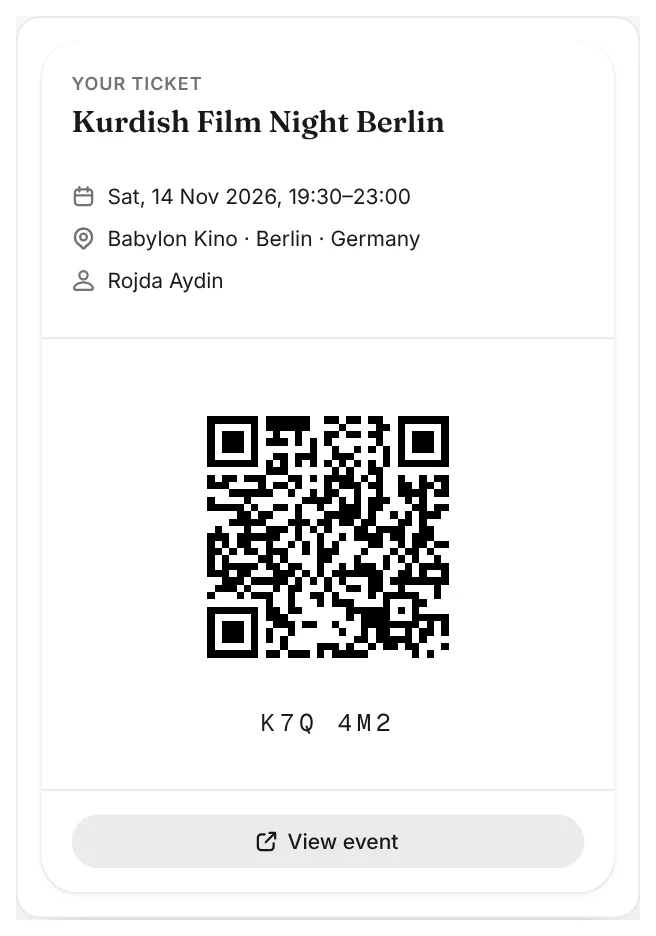
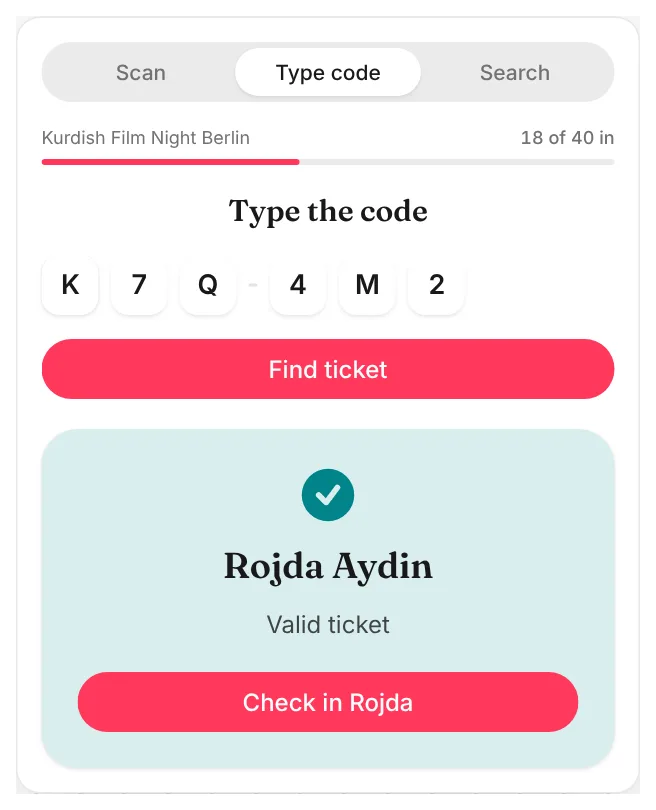
When a guest gets a place, their confirmation email carries their ticket. They can also tap Show my ticket on your event page or in the email. Under the QR code is a short code, such as K7Q 4M2, for when a scan does not work.
On a paid event, the ticket comes once you tap Mark as paid. A guest still waiting to pay has no ticket yet.
2. Scan the ticket
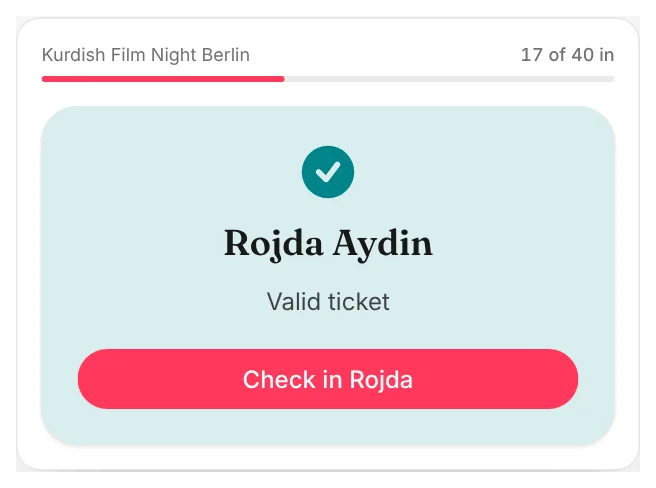
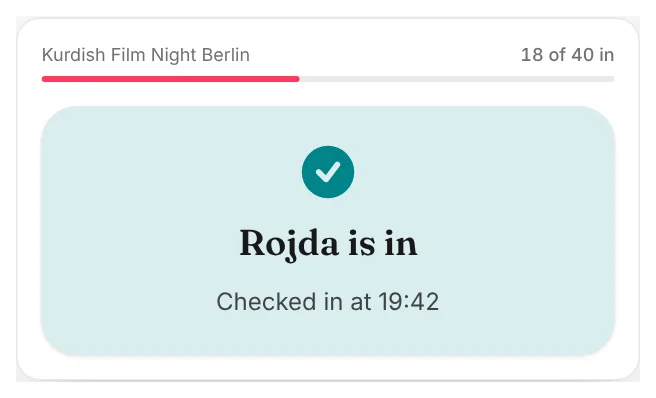
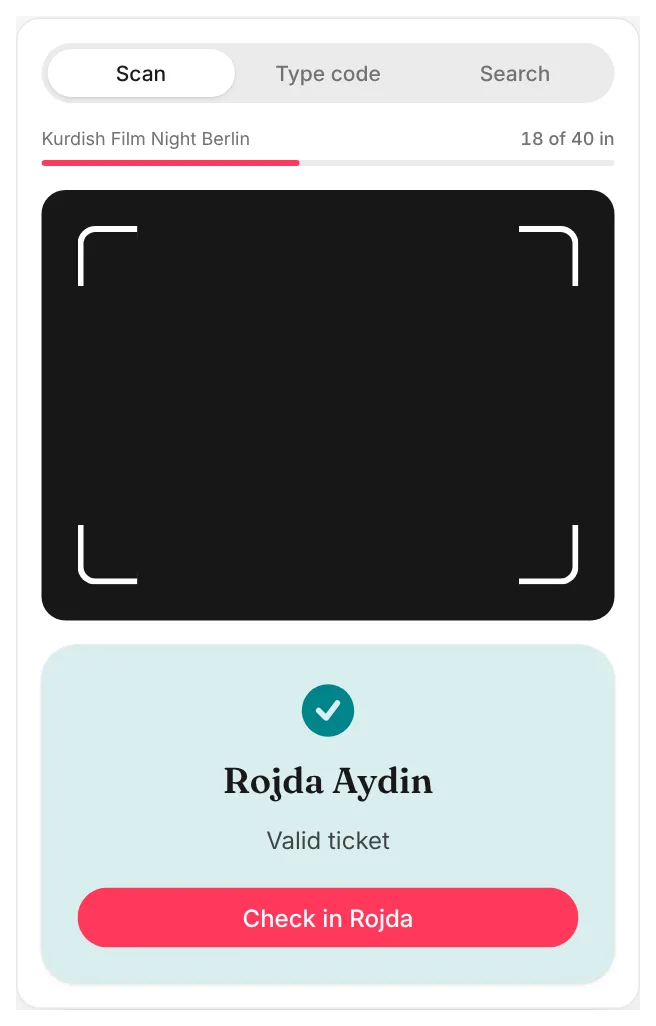
Open your phone's camera and point it at the QR code. Tap the link that appears. You see the guest's name and Valid ticket. Tap Check in.
Sign in on your phone before the event, so this goes in one step.
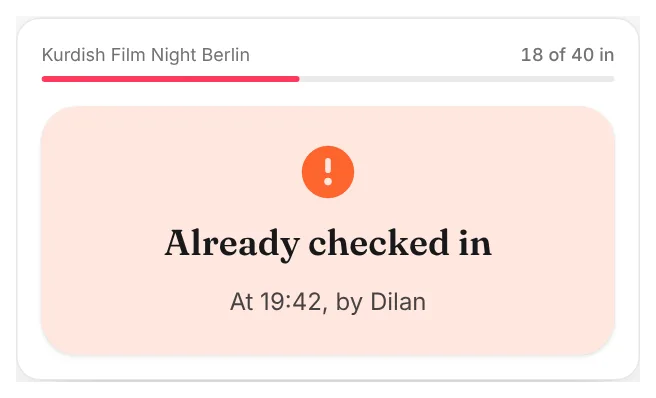
If the same ticket is shown again, you see Already checked in, with the time and who checked them in. That stops one ticket being used twice, for example a screenshot passed on to a friend.
3. A long queue? Use door mode
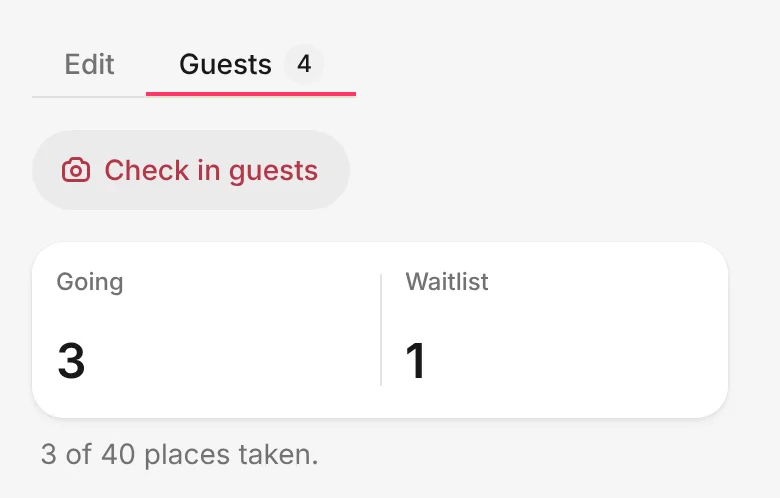
Open your event's page and tap Manage event. Go to the Guests tab and tap Check in guests. The camera stays on, so you can scan one guest after another without opening a new page each time. The top shows how many guests are in.
4. When a scan does not work
A cracked screen or a dim phone can stop a scan. Door mode has two other ways in:
- Type code: type the short code under the QR code.
- Search: find the guest by name or email, then tap Check in.
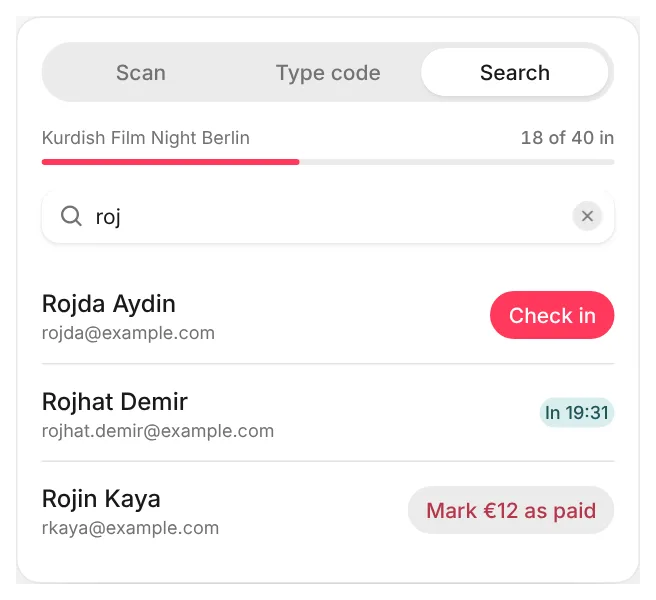
On a paid event, a guest who has not paid yet shows Mark as paid in the search. If they pay you at the door, tap it: they are marked as paid and checked in at once.
What the answers mean
- Valid ticket: let them in.
- Already checked in: this ticket was used before.
- Ticket not valid: the place was cancelled or declined, or the code is not one of ours.
- Another event: the ticket is for a different event.
Common questions
Who can check guests in?
The people who run the event: the admins of its calendar, or you, if you published it as yourself. Kurdish Events admins can too, to help you if something goes wrong. Anyone else who scans a ticket sees only which event it is for, never the guest's name.
Can a volunteer help at the door?
If the event runs on one of your calendars, add them as an admin of that calendar first. Then they can check guests in from their own phone, at the same time as you. An event you published as yourself can only be checked in by you.
A guest cannot find their ticket. What now?
Use Search in door mode and find them by name or email.
Do guests need an account?
No. The ticket works from the email, with or without an account.
Need more help?
Email us at hello@kurdish.events. A real person will reply.